

FOMO Terminal. Every fomo.family trade, read from the chain as it lands.
Watch the flow, buy from any row in one click from your own wallet, and let an exit ladder you choose sell for you. Rules turn what you watch for into workflows on your account.
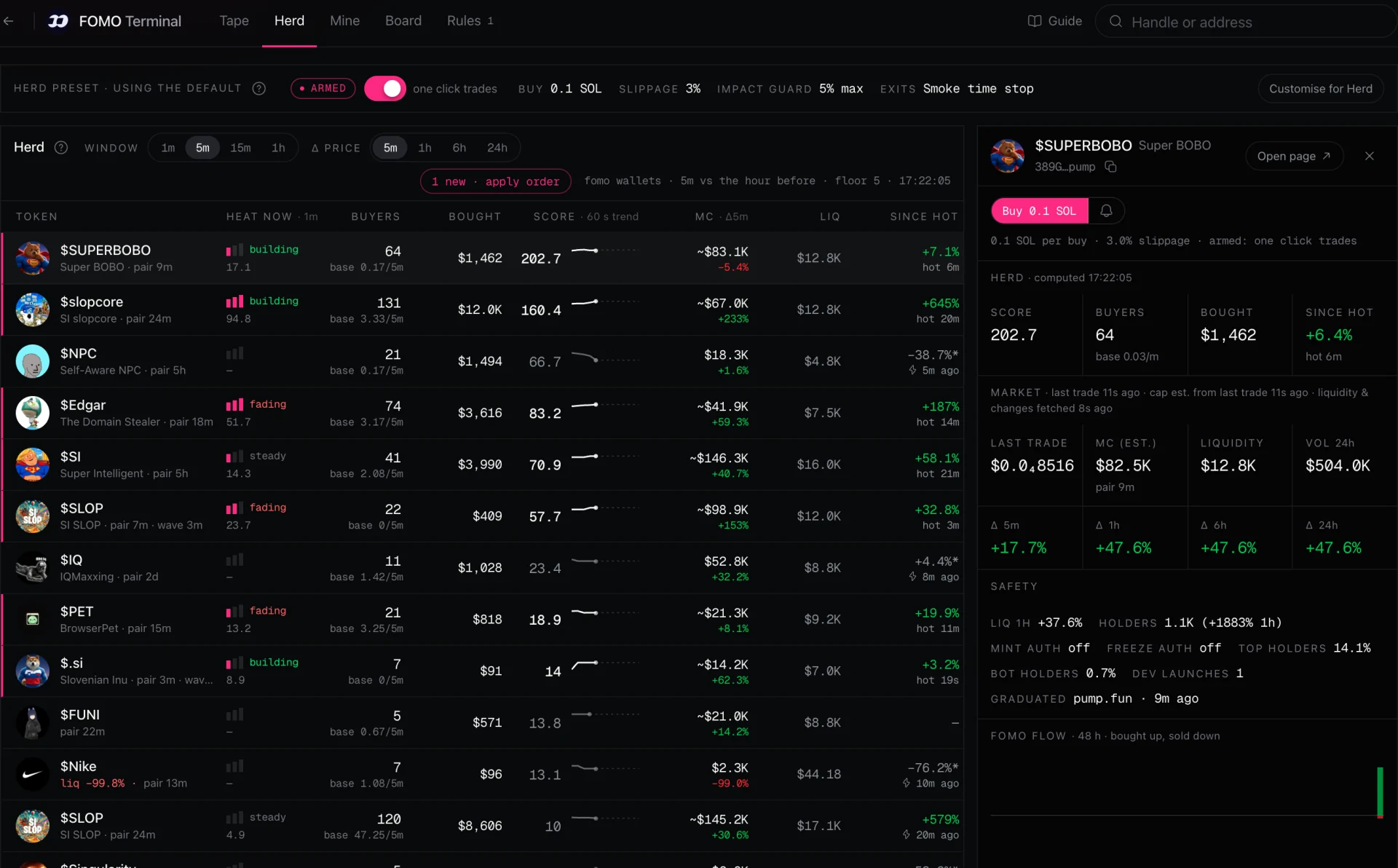
Tape
Every buy and sell, newest first, about a second after it lands.
Herd
Tokens several fomo wallets are buying at once, scored against their usual pace.
Mine
Your wallet as the chain sees it: holdings, entries, ladders and trade outcomes.
Board
Who to follow, by what happened to the wallets that bought right after them.
Rules
Workflows that run when a trader, a token, a cabal or a herd moves.
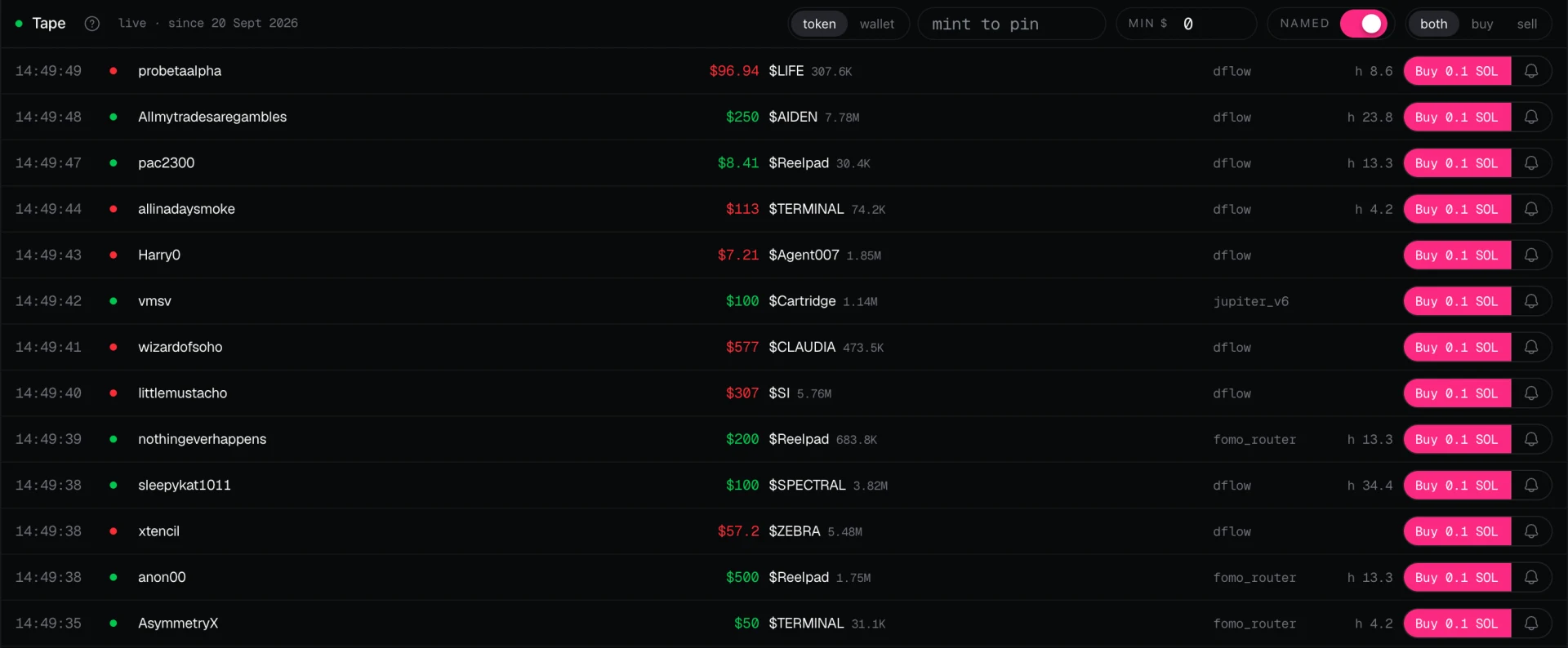
Tape. Every fomo.family buy and sell, about a second after it lands.
Each row shows the time, the trader, the dollar size, the token and the amount, the router and the token's herd score, with a buy button and a rule bell on every row.
- 01.1Pin a token or a wallet to see only its trades
- 01.2Min $, Named and buy or sell filters
- 01.3Hovering pauses the list; new fills wait behind a resume button
- 01.4Coverage gaps in the index are shown, never papered over
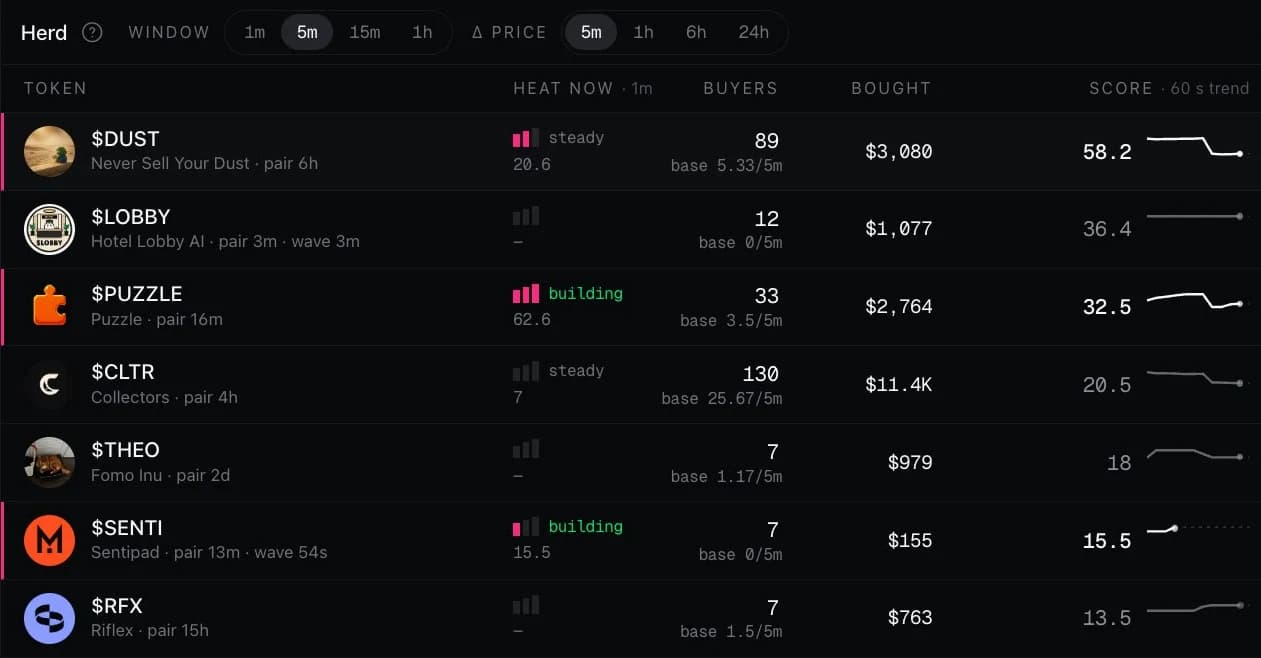
Herd. Where fomo wallets are piling in right now.
The score compares how many distinct fomo wallets bought a token in the window with how many usually do, weighted by the dollars they put in. A token needs at least five buyers to be listed.
score = buyers ÷ usual buyers × log10(10 + dollars bought)
- 02.11m, 5m, 15m or 1h windows
- 02.2Heat now: one to three bars on the 1-minute window
- 02.3The score's last 60 seconds as a line, sampled every 5 seconds
- 02.4Since hot: the price change since the token last went hot
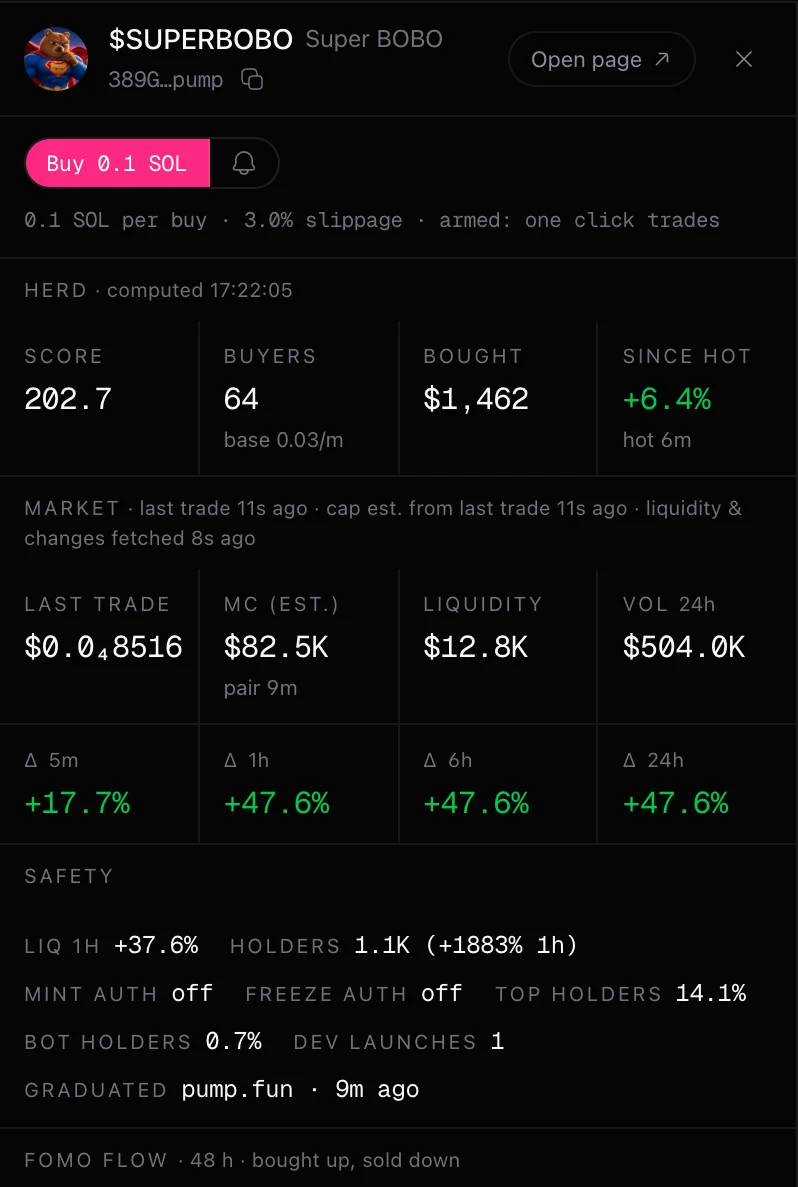
One click. Sized by your preset, from your own wallet.
Every trade button uses your saved presets, so a click never asks for a size. A quick trade is one market order through Relay from your Solaris AI wallet, recorded before it is broadcast and read back from the chain.
Click any token for the inspector: market data, the herd, 48 hours of fomo flow and safety checks, with the same trade buttons.
- 03.1Buy size 0.1 to 5 SOL, slippage up to 20%
- 03.2The impact guard refuses an order with nothing signed
- 03.3Armed off: a second click within four seconds confirms
- 03.4Not filled within 90 seconds: stopped, never retried
Exit ladders. Up to six rungs that sell for you.
When a buy fills, the strat in your preset arms a ladder on that lot. Each rung sells a share of the position when its condition happens first, and the terminal watches the lot for 24 hours.
- 04.1Stops and signals take precedence over take profits on the same moment
- 04.2Each strat shows a historical preview on recently hot tokens
- 04.3Sell all on a token cancels its ladder
Take profit
The price reaches a multiple of your entry, 1.05x to 100x.
Stop
The price drops to a fraction of your entry, 0.05x to 0.99x.
Trailing
The price falls a percentage from its high since you bought.
Herd sells
A number of the wallets that made up the herd have sold.
Herd faded
The herd score has stayed under a level for some minutes.
Top holders sell
The token's largest holders sell a real part of their position.
Cabal sells
The wallets sharing the herd's main referrer sell more than they buy.
Time stop
A number of minutes pass without a fill.
Board. Who is worth following, measured on chain.
Who to follow ranks named traders by what happened to the wallets that bought within 60 seconds after their buys over the last 24 hours: the median position, the share in profit and the capital-weighted result. Realized PnL, Volume and Referral income rank named fomo wallets over 24 hours, 7 days or since the index started.
Every token and trader opens a page of its own: 48 hours of fomo flow, holders and first buyers, on-chain profit next to fomo.family's published numbers, the buyers-after panel and the referral cabal.
Rules. What you watch for, running as workflows.
A rule is a workflow on your account. It runs about a second after the matching fill lands and reports each match to your own Telegram bot or Discord webhook. Create one from the Rules pane or the bell on any row.
- 06.1Live only: nothing is replayed
- 06.240 rules, 20 of them active at once
- 06.3Each match uses run credits
Trader
Any of up to 50 wallets buys or sells, above a size you choose.
Token
Any fomo wallet trades one of up to 20 tokens.
Cabal
Anyone whose referral share goes to a wallet trades.
Herd
A token's herd score crosses a threshold, once per cooldown.
- Watching is free.
- Each quick trade, including every rung a ladder sells, pays the standard Solaris AI swap fee inside the swap and uses no run credits.
- Each rule match uses run credits.
Memecoins move fast and most go to zero. The herd shows where fomo wallets are buying, not where the price is going; Who to follow and the strat preview describe the recent past, not the future. Exit ladders sell at market when a rung fires and can fill far from the trigger in a thin market. Only trade what you can afford to lose.
Open the terminal. Install it once and it opens with all five panes.
Built on the Solaris AI workflow engine: every rule is a workflow you can open on the canvas. The FOMO Terminal guide covers the tape, the herd, exit ladders and rules.